
Features
Everything your service day needs
From fault report to billable work order. One app for the office and the technicians, working from the same data.
Fault reporting
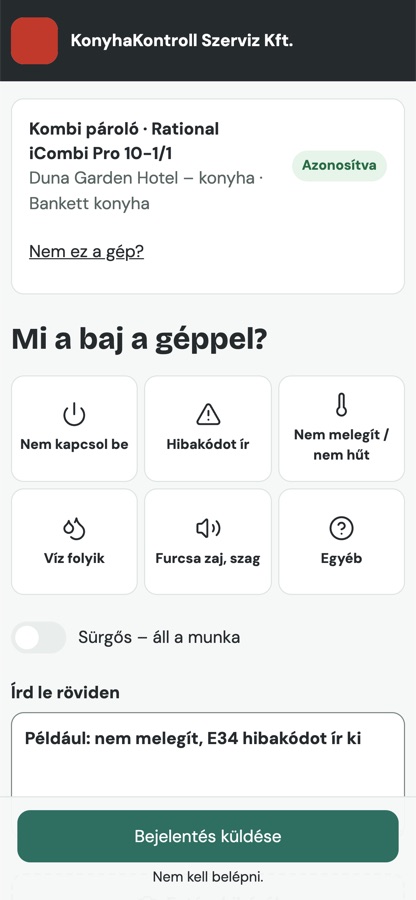
QR on the machine: anyone can report
Every machine gets its own QR label. Kitchen staff, caretakers or reception scan it, tap the fault, done. No app, no sign-up, no password.
- Machine, site and customer identified automatically
- Photos can be attached
- The reporter follows progress through a link
- Urgent flag when work has stopped
Office
Tickets and scheduling in one click
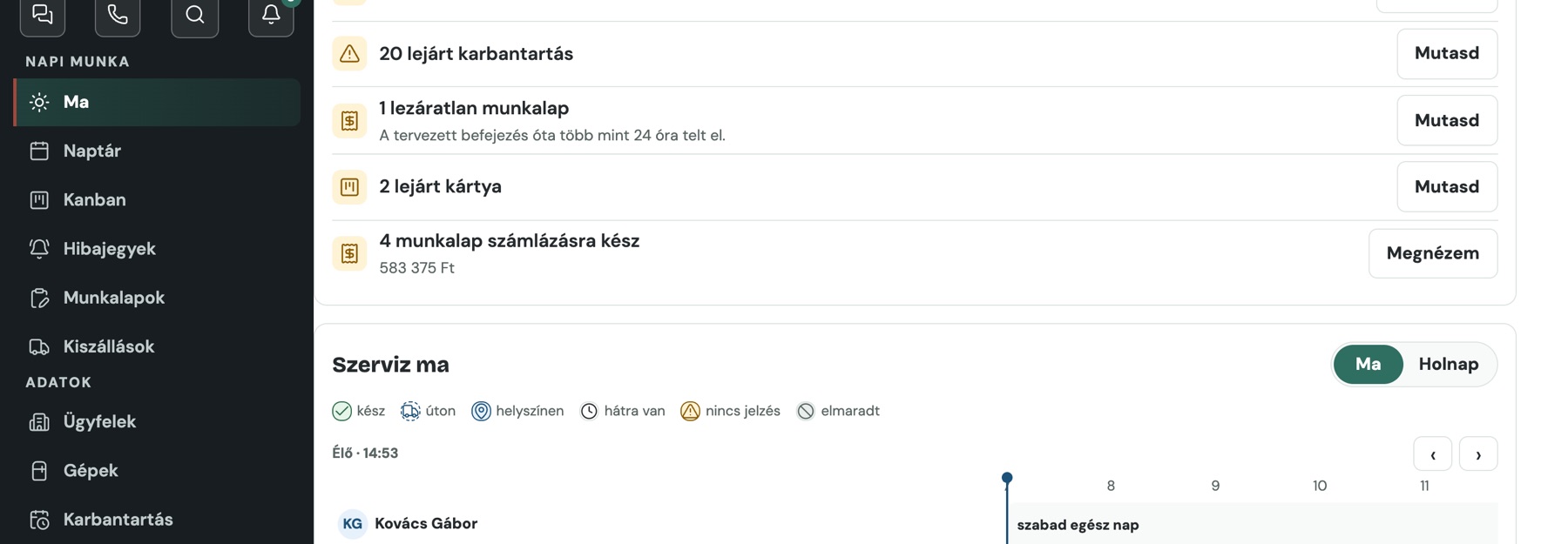
Every report becomes a ticket, whether it came by QR or by phone. The office assigns it in one click and the technician sees it in the calendar.
- Calendar per technician, with a “Busy” band
- Parking: waiting for parts – what, from whom, by when
- Reminders when something stalls
- Quick search for everything: Ctrl+K
Maintenance
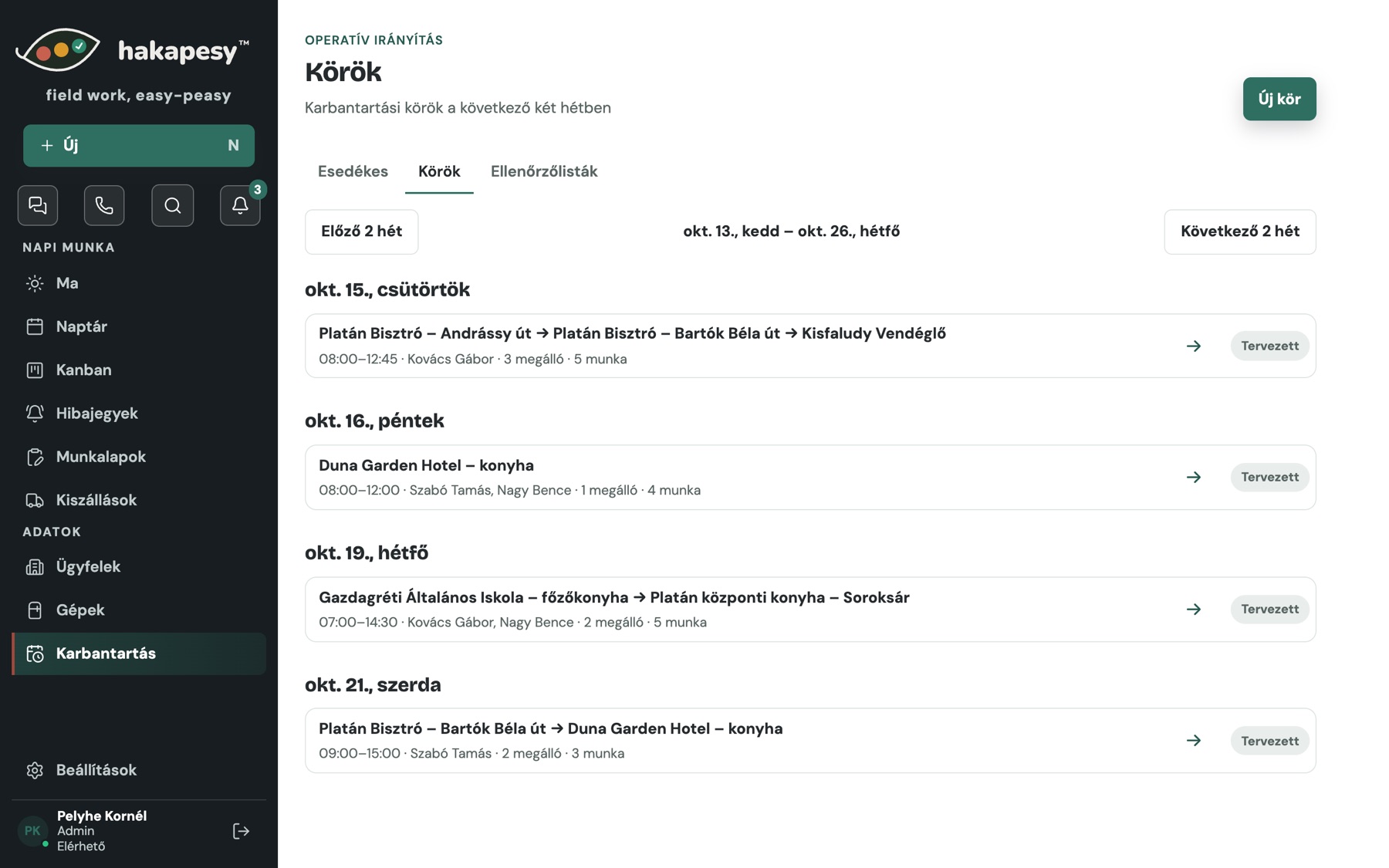
Maintenance rounds across sites
Build a daily round from due maintenance. The technician moves from site to site, and the call-out fee counts once per visit.
- Due dates tracked per machine
- Machines and tasks per stop
- Many machines on one work order; exceptions become tickets
- Checklists for maintenance
Work orders
Work orders on site, with signature
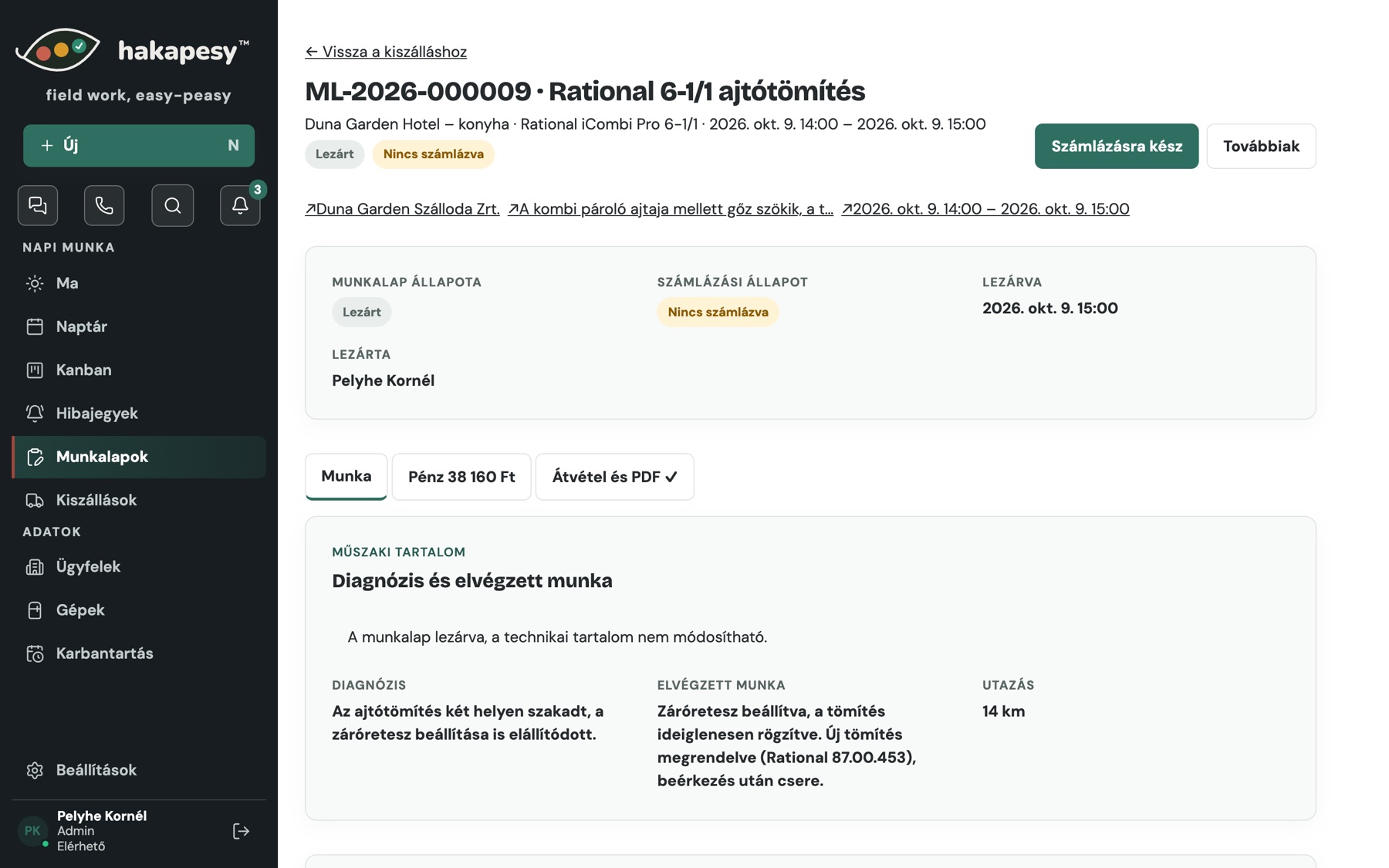
The technician fills it in on site: diagnosis, work done, parts, mileage, photos. The customer signs on the phone, and the office sends the PDF by email with one button.
- Dictation: say it, the app drafts the work order
- Photos of the job
- Ready-to-invoice flag for the office
- Internal costing never goes out to the customer
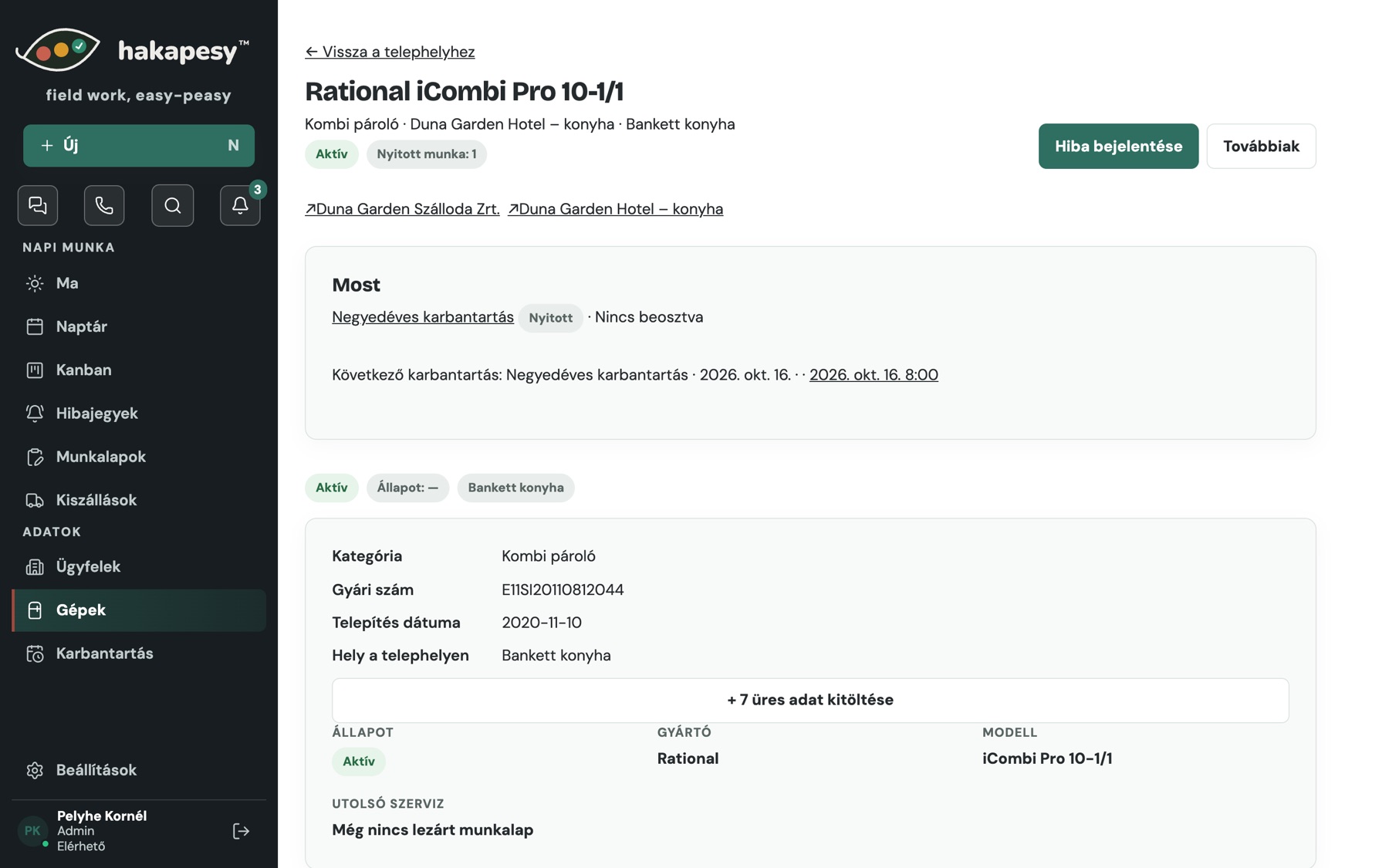
Machine records
The full life of every machine
Serial number, model, location, next maintenance and every repair it ever had. Years later you still see who replaced what, and when.
- Fault history per machine
- See which machines fail more and more often
- Turn that into a timely replacement offer
Office
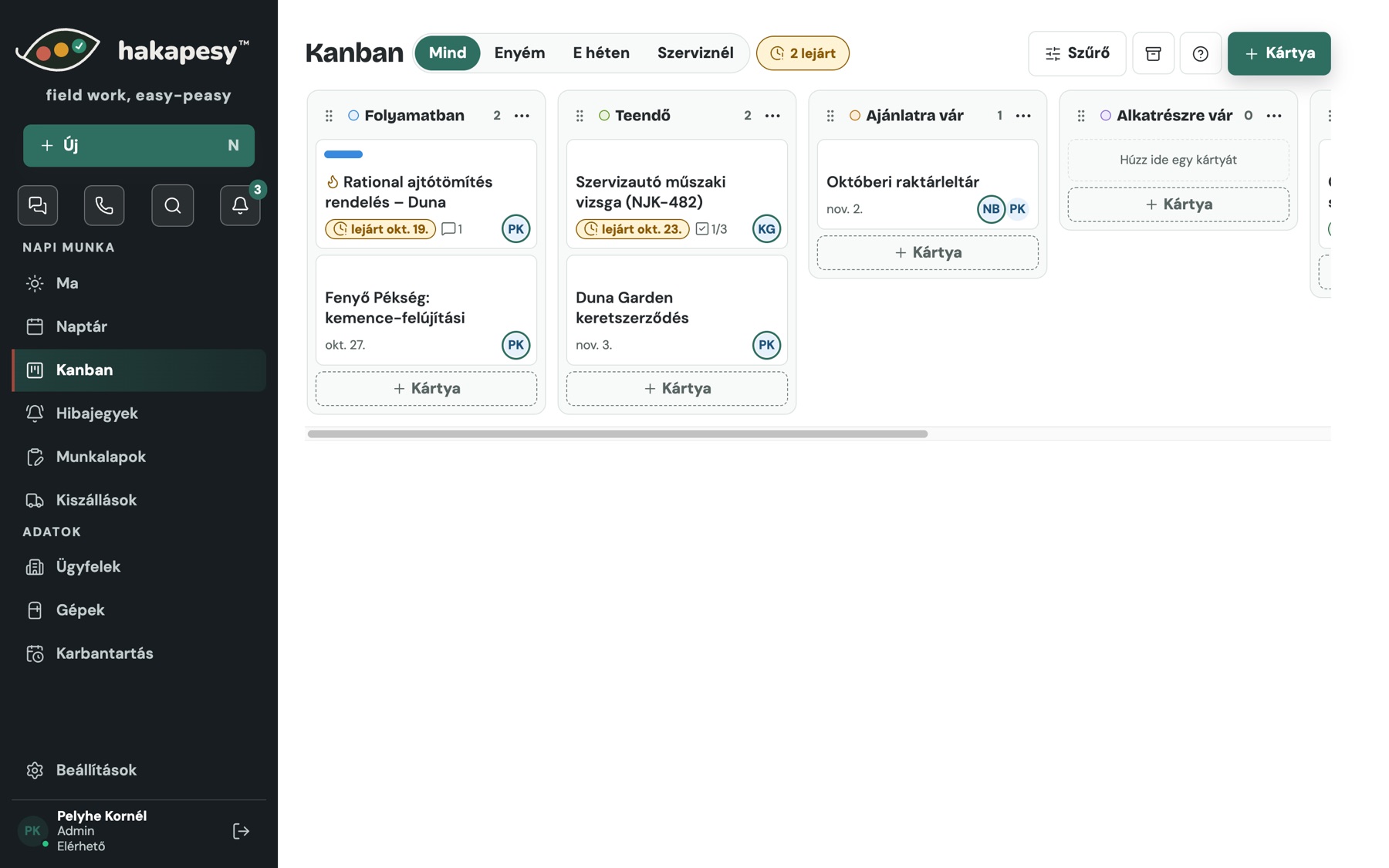
A Kanban board for everything else
Parts orders, quotes, contracts, van inspections. Cards with photos, due dates, an owner and colour labels, right next to your machines and jobs.
- Photos on cards, technicians can upload too
- Separate service board for handed-over items
- Keyboard shortcuts and autosave
And more
Small things that save hours every day
Dictation
The technician says what they did, and the app drafts the work order. Nothing is saved without approval.
Email to customers
The office sends the work order PDF with one button. Replies land in your own inbox.
Labour time
Who worked how long, on which job. Ready for the monthly accounts.
Team chat
Messages inside the team, next to the jobs, not on private phones.
Roles
Everyone sees and does only what they are allowed to.
Technician app
A native phone app for working without signal. Until then, the technician view runs in the phone’s browser.
Coming soonTry it with your own machines
Free for 30 days. We help you load your machines and print your first QR labels.